
Workflow automation.Keep useful work moving.
A request arrives, someone copies it, another person checks it, then the same details go into a report. We map the repeated steps, connect the right tools and automate the parts that should not need another round of manual work.
Free 15-minute call. Start with the task you want to make easier.
Workflow automation
Less repeated copying. A process your team can follow.
- 01
Business process automation
Map the trigger, required information, decisions and result. Automate routine handovers, record updates, reminders or reports around the process you approve.
- 02
Software and system integrations
Connect agreed forms, customer records, email, payments or team tools where the providers allow it. Check which details move between them and prevent a repeated request from being processed twice.
- 03
AI automation with review
Use AI to draft, summarise or sort information when it is appropriate. Define which outputs need review and which actions require approval before anything is changed or sent.
- 04
A plan for exceptions
Design for missing information, duplicate requests and provider failures. Agree useful logs, alerts, safe retries and the person responsible when the process needs help.
An example of the work
A repeated task, with the right checks.
- 01
Receive and check
Check required information and recognise a request that has already been handled.
- 02
Prepare and ask when needed
Draft the next step and send important decisions to the right person.
- 03
Update and make the result visible
Write approved changes to the agreed system and flag anything that needs attention.
How the work happens
- 01
Watch the task before automating it.
Walk through real examples, including the awkward cases. Identify what repeats, where decisions matter and which provider connections are available.
- 02
Test a limited workflow.
Agree one useful result, access limits and approval points. Test with suitable example information and review what happens when information is missing or a connected service fails.
- 03
Put someone in charge of the result.
Document the workflow, explain how to pause it and agree who reviews logs or exceptions. Plan maintenance before relying on the automation day to day.
Our work
AI that works inside a product we built.
Our own My Leads Engine app includes an AI assistant that works through sales tasks, uses connected tools and asks before reaching another person. The product also lets people undo its changes.
See the case study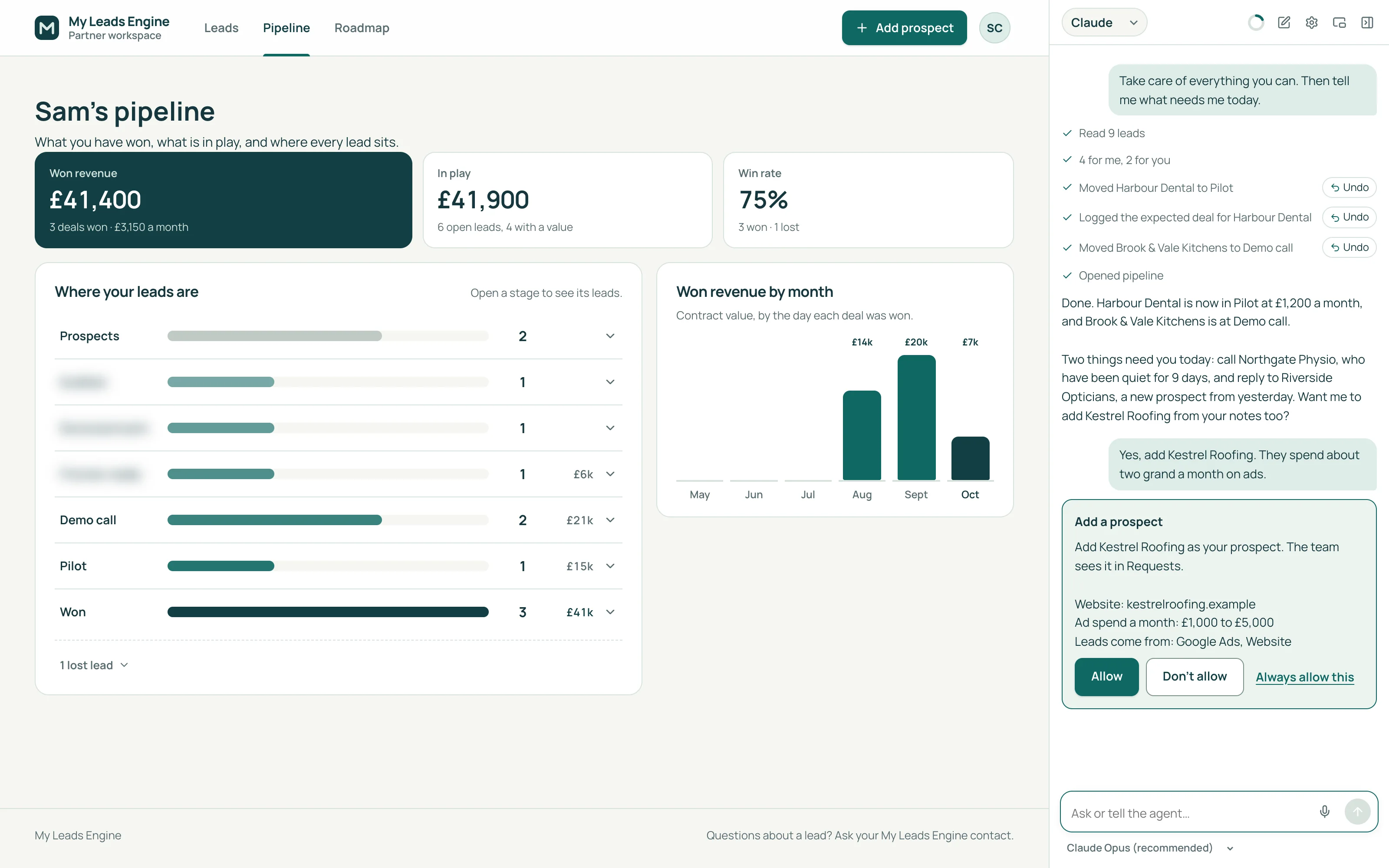
Scope, costs and ownership
A clear scope before we start.
We quote around the steps, systems, expected volume and checks the workflow needs. Start with a defined process so the cost and responsibilities are clear before extending it.
Talk about your project- Provider access and integration limits are checked before the scope is confirmed.
- Automation licences, AI usage, hosting and applicable taxes are separate.
- Ongoing monitoring and changes need an agreed support plan.
Questions before you decide.
What are workflow automation services?
They connect repeated steps so work can move between people and tools with less manual handling. We define the inputs, rules, checks and result, then build and test the agreed process. Automation can include AI, but does not always need it.
Can you provide AI automation services?
Yes. We can include AI assistants, drafting, classification or document handling when the task is suitable. We agree information access, checks and approval points. AI can make mistakes, so important decisions need an appropriate review process.
Can you automate the tools we already have?
We review them first. Some tools provide a supported connection; others need a different approach or do not allow the required action. We explain access requirements and provider costs before agreeing to build.
What happens when an automation fails?
We agree how the workflow should record problems, notify the responsible person and retry safely where appropriate. Some exceptions need human action. Monitoring hours and response targets belong in the support scope.
Can we start with one repeated task?
Yes. A focused first workflow helps you test the setup and see what still needs a person. We can then discuss more connections, custom software or an ongoing monthly plan around the results.
Start with the bottleneck.
Tell us what customers or colleagues keep waiting for, repeating or working around. We will help you choose a useful starting point.
Free 15-minute call. Start with the task you want to make easier.